
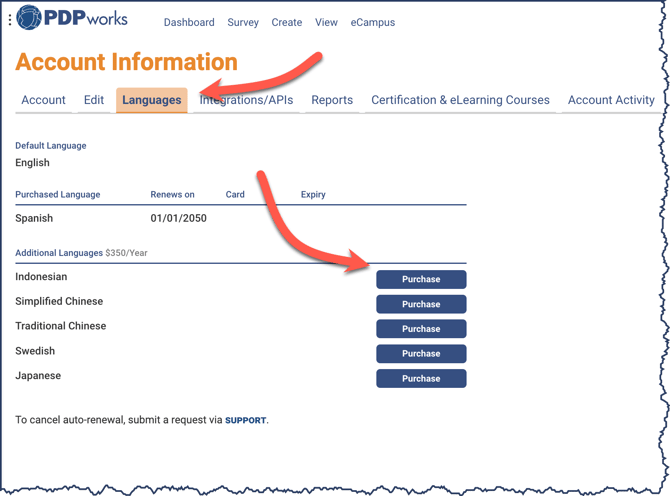
Seven language licenses are available: English, Spanish, Indonesian, Simplified Chinese, Traditional Chinese, Swedish, and Japanese.
To add a language license to your account, click on User Name > Account Information and click the Languages tab. Click the Purchase button to the right of the language to activate.
Complete the Language License Purchase panel fields to activate the selected language.
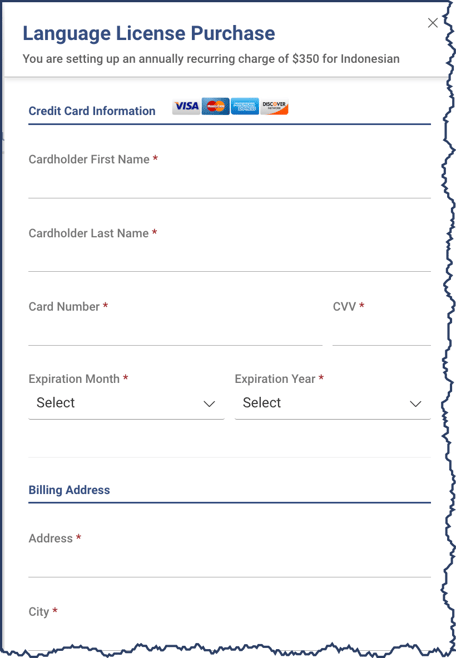
Language licenses are a recurring yearly fee and will processed with the same credit card. To change, click the Update card button that replaces the purchase button.