
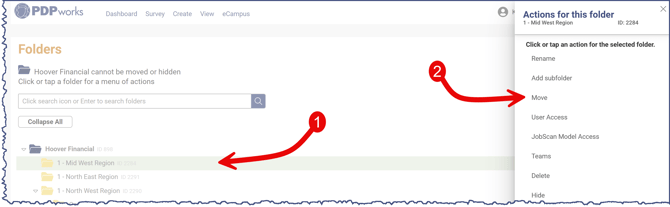
Go to User Name > Manage Folders. Click on the folder that you want to move. The panel will open to the right, select Move. You will then be presented with the list of all the folders. select the Checkbox next to the folder you would like to move the folder under. Then confirm and select Yes at the bottom-right of the page.
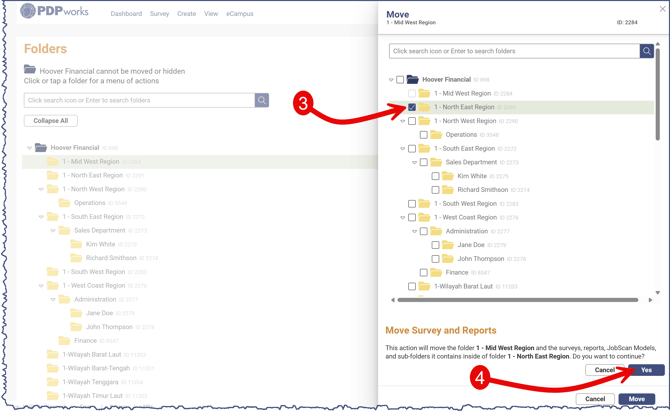
If you click the row of a folder instead of the check box you will get a message to add a subfolder. Clicking the checkbox next to the folder to move will display the Move Survey and Reports message and Yes button.