
Manage Folders Gets a Fresh New Look!
The heart of organization in your PDPworks account is through the management of folders. The Manage Folder page can be a great starting point to add or review your folder structure, but don't worry about getting everything set up to perfection, as you can also update on the fly without disrupting your workflow.
To access the main folders page:
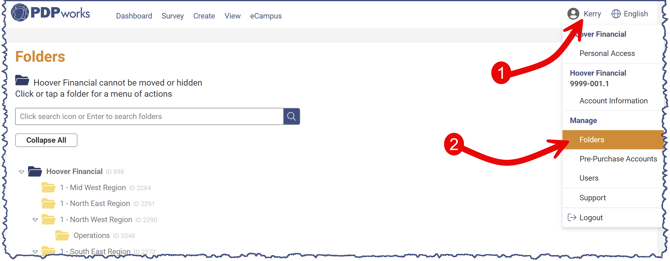
1. Click on the username in the upper right.
2. Click Folders.
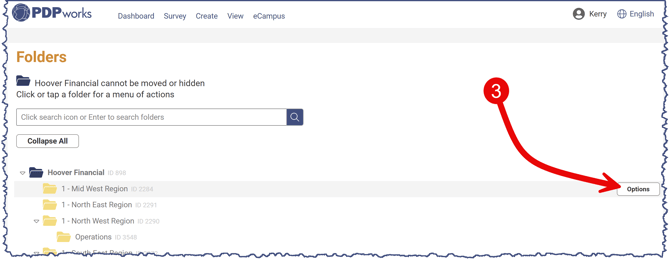
3. Click the options button on the right.
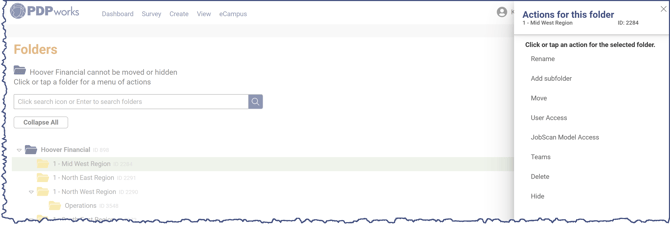
4. Select the desired action.
If you need to add, edit, or get rid of a folder, select the options button on the right. A panel will open on the right with several action options.
For more information on the following actions:
- Renaming a folder
- Adding a subfolder
- Moving a folder and its contents
- Hiding a folder